I've worked on the creative side of marketing for the technology industry, having served as a creative director, graphic/visual-designer and as a motion designer, 2D animator and video editor.
I've delivered video and animation for some of the biggest companies in the world, for agencies, and for startups, across B2B and B2C audiences. I know how to work with the unique structure of enterprise companies and agencies that support them.
Trekz rebranded as Excurzo for the launch of their adventure based social media application.

2016 Trekz Adventure App pre-release teaser video.
Roles: Project Management; Strategic Consulting; Design; Animation/Editing

2017 Excurzo App release promotional video.
Roles: Project Management;
Art direction; Design; Animation/Editing
30 Second version for promotion on Apple app store.
Roles: Project Management;
Art direction; Animation
Vertical version for promotion on the Apple app store.
Roles: Project Management;
Art direction; Animation
A series of over 30 video animations were produced to support the marketing and sales of a suite of hardware and software products used by mobile operators in the telco infrastructure.
Videos were used at major mobile industry events on touch screen kiosks and repurposed accordingly. The project lasted from pre-aquisition through 3 corporate rebranding efforts and spread across multiple product divisions.
I was responsible for all aspects of the projects except script writing.

Clips from various Citrix projects.
Roles: Project Management;
Art direction; Storyboarding; Design/Illustration; Animation;

Full-length TCP Optimization video.
Roles: Project Management;
Art direction; Storyboarding; Design/Illustration; Animation;

Full-length "Why Video Optimization".
Roles: Project Management;
Art direction; Storyboarding; Design/Illustration; Animation;

Full-length Netscaler Tri-scale video.
Roles: Project Management;
Art direction; Storyboarding; Design/Illustration; Animation;

Various clips created for ByteMobile.
Roles: Project Management;
Art direction; Storyboarding; Design/Illustration; Animation;
Samples of other recent video and animation projects
Turmeo CEO on Return To Growth
Roles: On-site camera work; Video Editing; Animation;
Bear Systems - IoT Security Mashup
Roles: Project Management;
Storyline; Video Editing;
Marvel / HomeGrid Forum
Roles: Project Management;
Art direction; Illustration; Animation;

Ruckus Wireless
Roles: Project Management;
Art direction; Illustration; Animation;
My experience is that successfully executed video and animation projects are the result of following a development process.
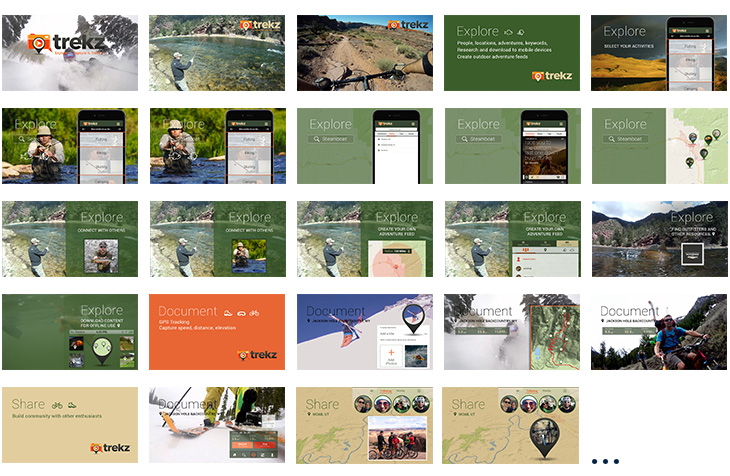
The following is a partial snapshot of a storyboard from the first iteration of the Trexz video.
The video was designed to promote an app still in developement. The purpose of the video was to get beta users, investors, and potential users excited. It was driven by written high-level messaging and music instead of a voiceover.
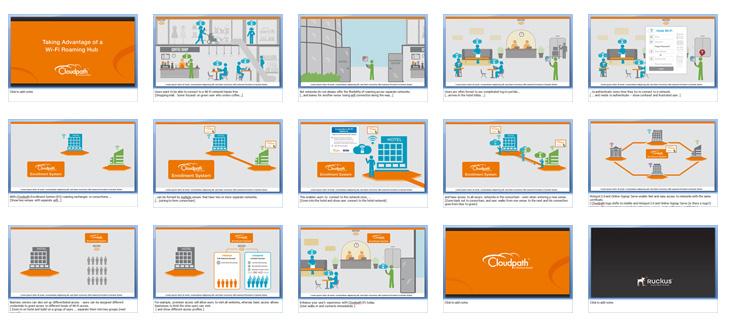
The following is a snapshot of a storyboard from one of the three videos done for Ruckus Wireless.
These videos were script driven, so each screen in storyboard has an accompanying script section and animation notes to help communicate the intended motion design at each point in the voice-over.